Site design automation · UK telecoms

Messy site data in. Issued drawings out.

AutoComms reads the whole survey pack — legacy drawings, spreadsheets, handover packs, photos — reconciles it into one site model, and plots the complete CAD pack to operator templates. Days of drafting become minutes of review.

Minutes
Pack to first draft
1 pass
Review conflicts only
100%
Values traced to source
PROPOSED ANTENNA (2No.)EXISTING ANTENNA — RETAINEDPROPOSED RRU (4No.)EXISTING 0.3m TX DISHEXISTING CABINETSTREET LEVEL ±0.00mICNIRP EXCLUSION ZONE+17.50m ATOP17.50m O/A
Drawing title
Proposed Site Elevation
Scale
1:50
Dwg · Rev
301 · P1
Drawn: AutoCommsChecked: You
The job

From shoebox to issue-ready

Every site upgrade starts the same way: a folder of legacy drawings, spreadsheets and photos that almost agree with each other. AutoComms turns that folder into a drawing pack you'd be happy to put your name on.

SITE_ELEV_FINAL_v7_OLD.dwg
AutoCAD 2013 · half the layers frozen
IBD Rev 4 (2).xlsx
Cell B14 disagrees with Rev 3
Handover Pack — TEF_4412.xlsx
37 tabs, one of them relevant
ICNIRP Survey.pdf
Scanned at a slight angle
IMG_2431.jpg (+67 more)
EXIF bearings intact, thankfully

One folder. Six formats. Three versions of the truth.

AutoComms
engine
PROPOSED ELEVATION301
PROPOSED ANTENNA LAYOUT401
EQUIPMENT SCHEDULES500
ICNIRP COMPLIANCE550

One site model. One numbered pack.

ReadsDWGDXFIBD · XLSXHandover pack · XLSXICNIRP survey · PDFPhotos · EXIF
WritesDWGDXFPDF
How it works

Four steps. One of them is yours.

01

Drop the pack

Drag in everything you have — old drawings, IBDs, handover packs, ICNIRP surveys, site photos. Duplicates and stale revisions are recognised for what they are.

02

The engine reads it

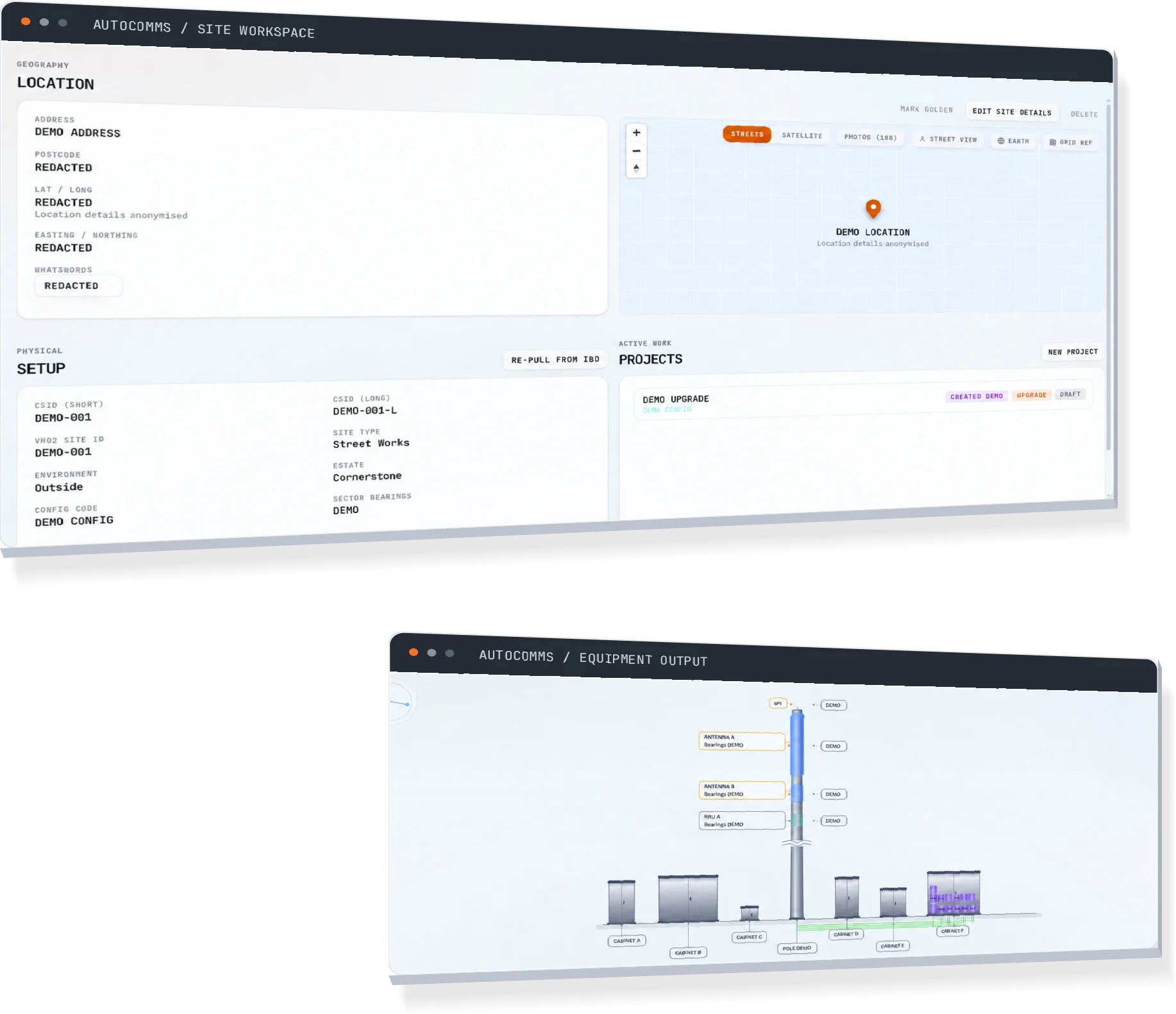
Every page is parsed. Equipment, bearings, heights and site facts are extracted with an evidence link back to the exact page each one came from.

03
The human step

Review conflicts, not paperwork

Where documents disagree, precedence rules decide and show their work. You approve the verdicts — you don't re-read the pack.

04

Issue the pack

Plans, elevations, antenna layouts, schedules and ICNIRP sheets are plotted to operator templates. DWG, DXF and PDF out.

Capabilities

Built for the unglamorous parts

The hard part of site design was never the drawing. It was everything around it — the reading, the cross-checking, the re-typing. That's the part AutoComms does.

Ingest

Reads every page

DWG schedules, IBD spreadsheets, handover packs, ICNIRP surveys, EXIF-tagged photos. Every extracted fact keeps a link to the page that proved it.

Reconcile

One site model, no contradictions

When six documents disagree about a bearing, precedence rules decide and show their work. You approve the verdict instead of re-reading the pack.

Edit

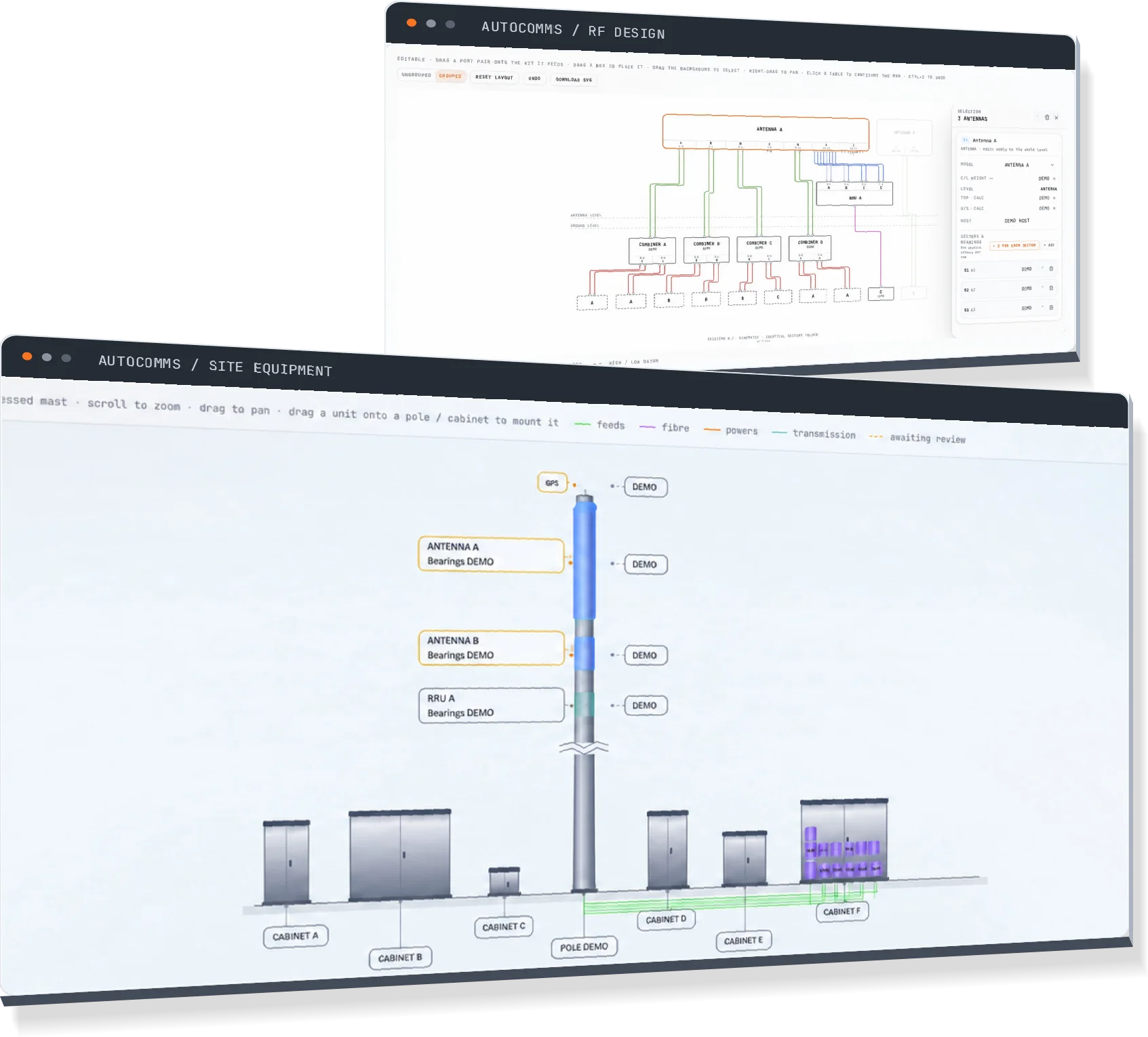
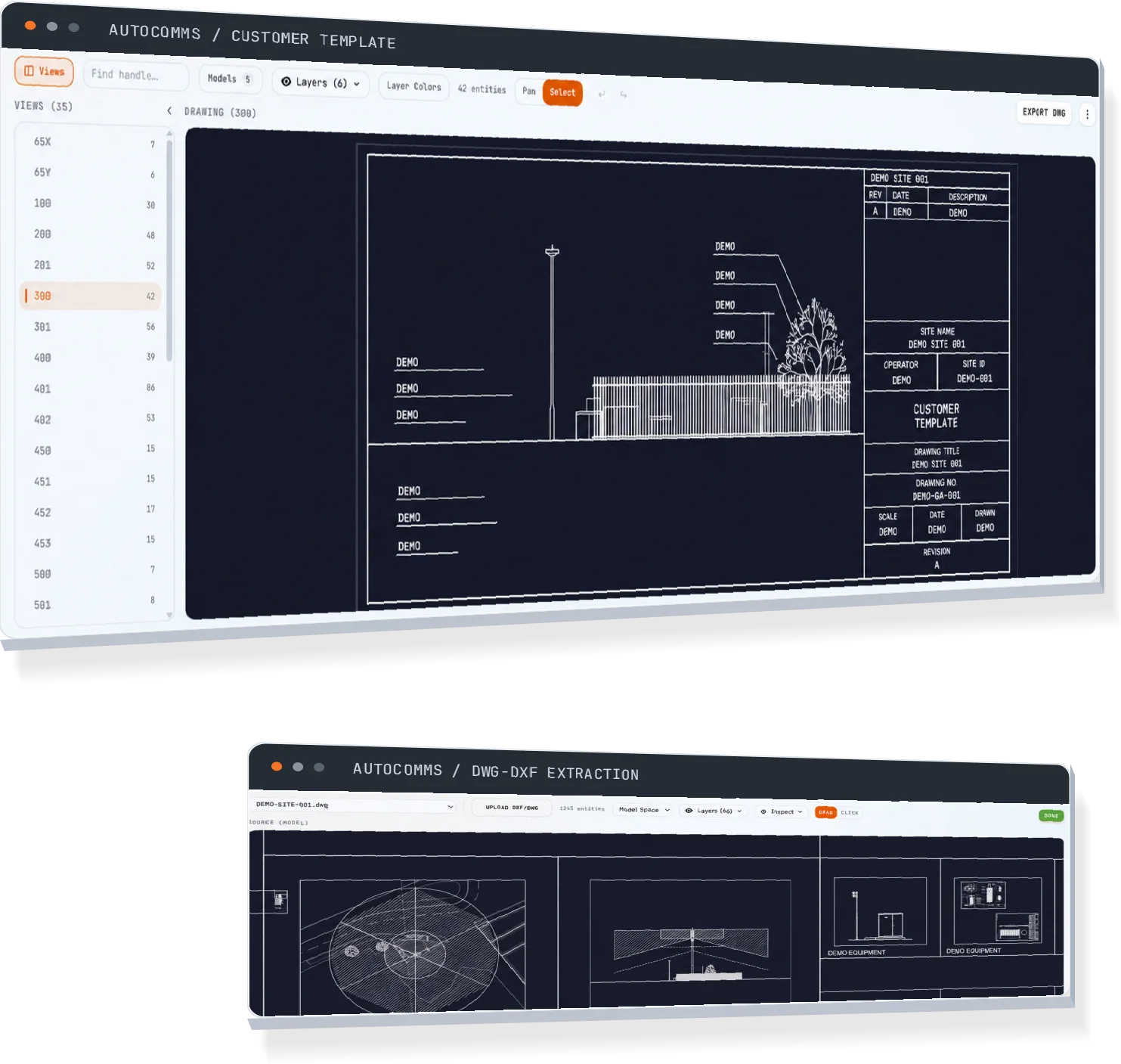
Real CAD in the browser

Layers, blocks, hatches and plot styles render faithfully. Drag equipment from the catalog straight onto the sheet — no desktop CAD seat required.

Expand

Config codes become schedules

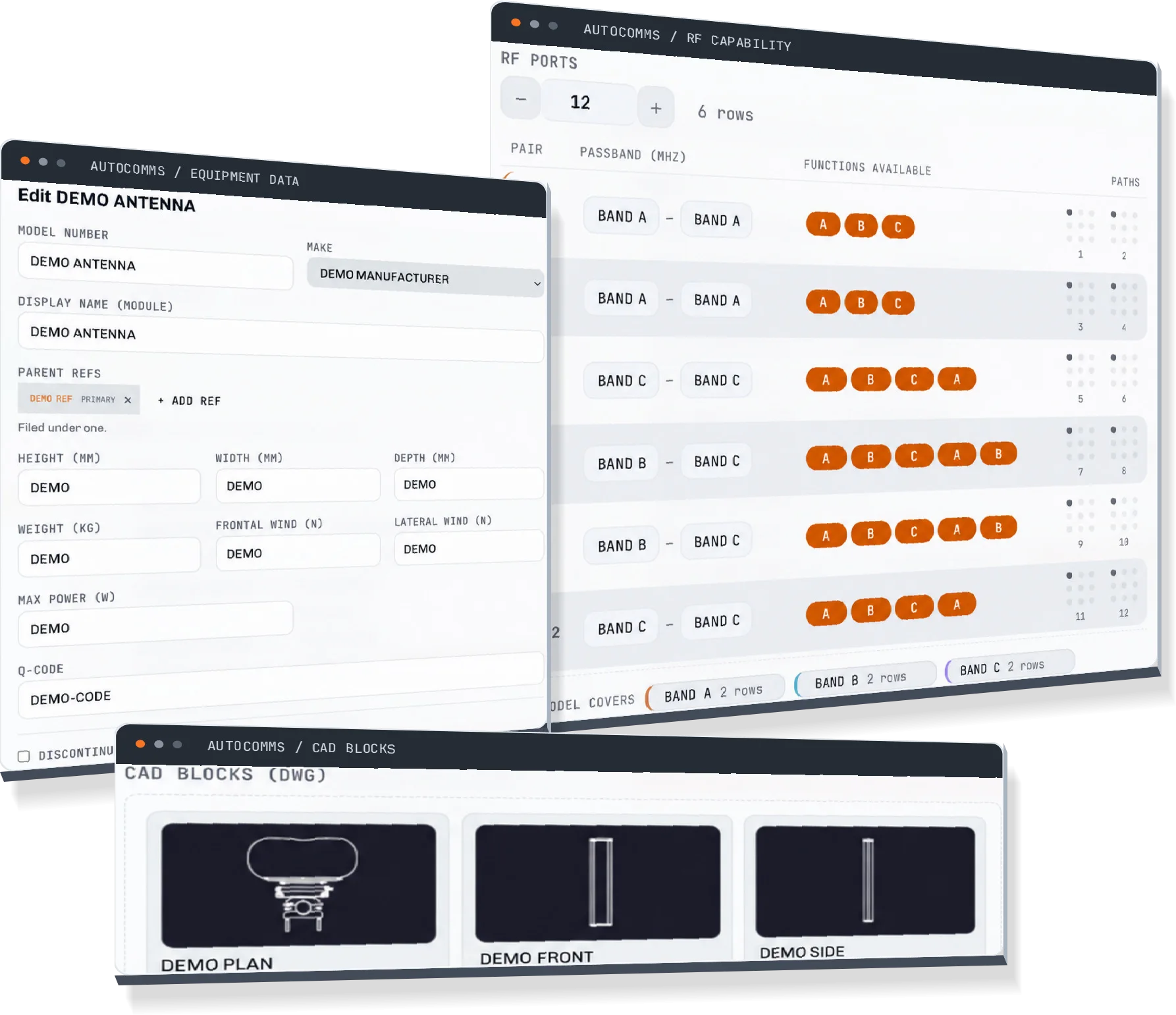
Type the operator config code and get per-sector antennas, RRUs and RF schedules, matched against the approved-equipment catalog.

Comply

ICNIRP zones, computed

Exclusion zones are generated from the equipment schedule itself — geometry derived from data, not traced from an old sheet.

Trust

Fails loud, never guesses

Missing source data leaves a flagged blank, not a plausible value. A diagnostics view accounts for every placeholder on every sheet.

The deliverable

The whole pack, not a head start

AutoComms doesn't hand you a base drawing to finish. It issues the full register — every sheet an operator expects, numbered, annotated and plotted to their templates.

Dwg No.Sheet titleOutput
100Site Location PlanAuto-plotted
200Site Layout PlanAuto-plotted
300Existing Site ElevationAuto-plotted
301Proposed Site ElevationAuto-plotted
400Existing Antenna LayoutAuto-plotted
401Proposed Antenna LayoutAuto-plotted
500Equipment SchedulesAuto-plotted
550ICNIRP Compliance DrawingAuto-plotted
600Standard DetailsAuto-plotted
Why it can be trusted

A blank cell is honest.
A guessed one is a liability.

A wrong number on an issued drawing costs more than a missing one. If a value can't be traced to a source document, AutoComms leaves it blank and flags it — and every value it does place links back to the page that proved it.

Fail loud · Trace everything · Guess nothing
Rev P1 · Ready for issue

Your next pack,
issued in minutes.

Upload a site pack and watch the drawings plot themselves. Keep your name in the "checked by" box — let AutoComms fill in "drawn by".

Operator templates in · DWG, DXF & PDF out